BDO Barter Tools

Run your Barter plan without leaving the game

Your plan becomes a checklist grouped by island. Keep it on top of the game with the overlay, say done when a stop is finished, and your ship, warehouses, exchanges and Parley stay up to date for the next plan.

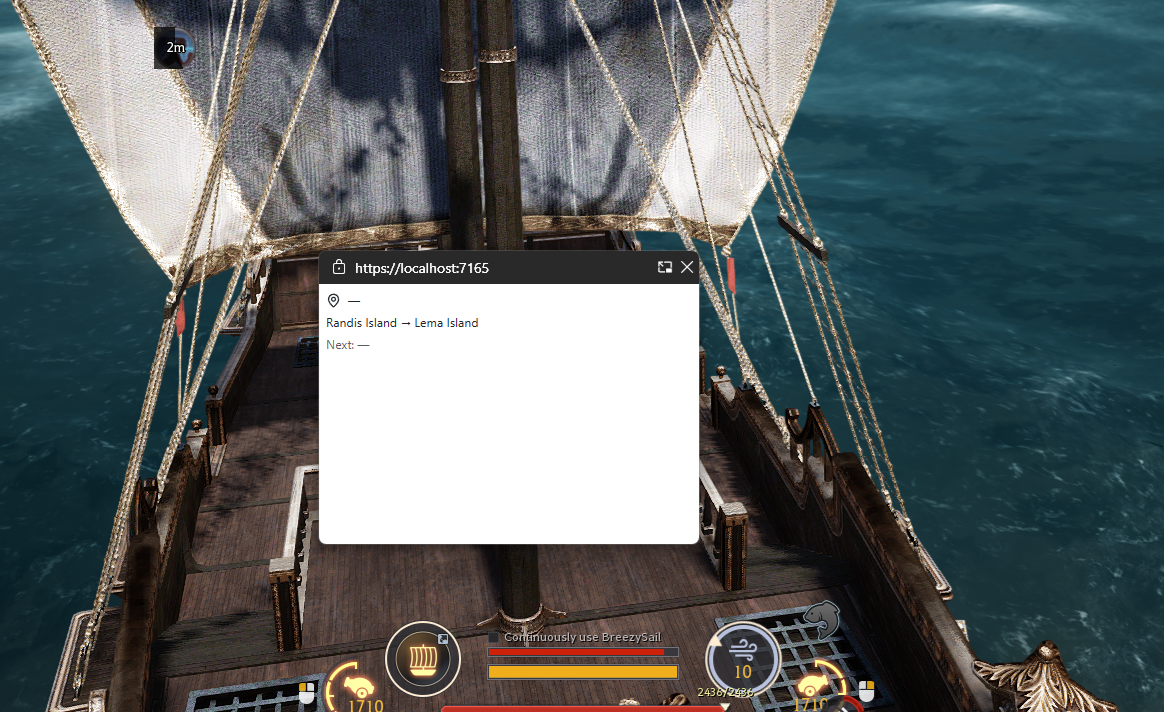
Overlay on top of the game

A small window stays over BDO in borderless mode: the current island and its steps, the stopwatch and the next stop. Chrome or Edge.
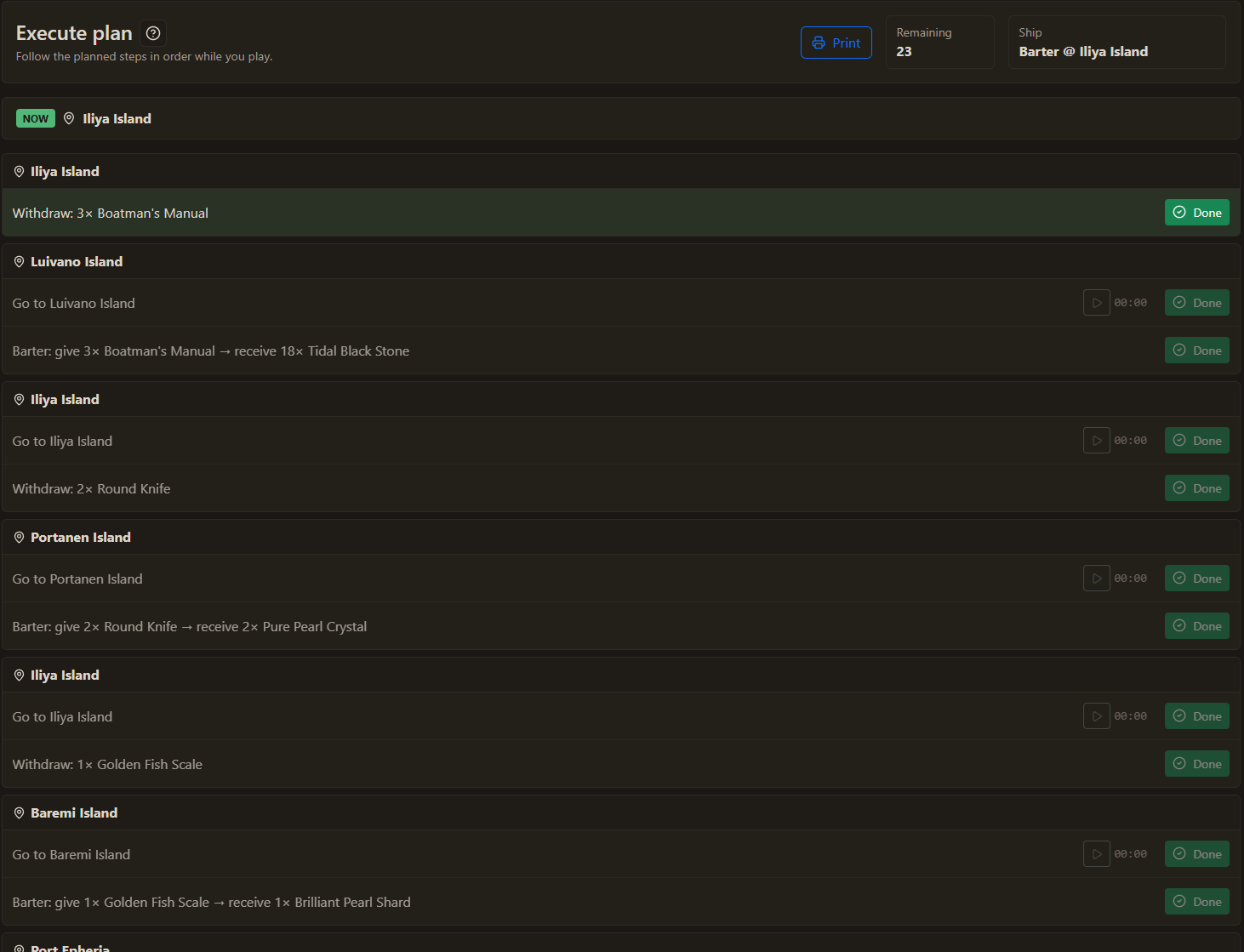
Hands on the game

Say start, pause or done in your game language: English, French, Spanish or German. Done confirms every step of the current island.

State kept up to date

Each confirmed step updates ship position, ship and warehouse inventories, exchanges, Parley and Crow Coins, ready for your next plan.

Measure travel time

Go to steps include a stopwatch that records your travel durations and improves future route timing estimates.

Designed for in-game use

Execute keeps the workflow compact and readable: grouped islands, clear warnings, and one confirm action on the current step, by mouse or by voice.

  • Now block: shows the island of the active step.
  • Grouped steps: less repeated location noise during long plans.
  • Warnings: flag missing transactions or exhausted exchanges before you continue.
  • Safe voice: by default, a misheard done cannot confirm a trip you never started.
  • Printable view: take your checklist with you or open it on another device.

Tools For Games helps you follow a plan yourself. It does not automate BDO gameplay or control the game client.
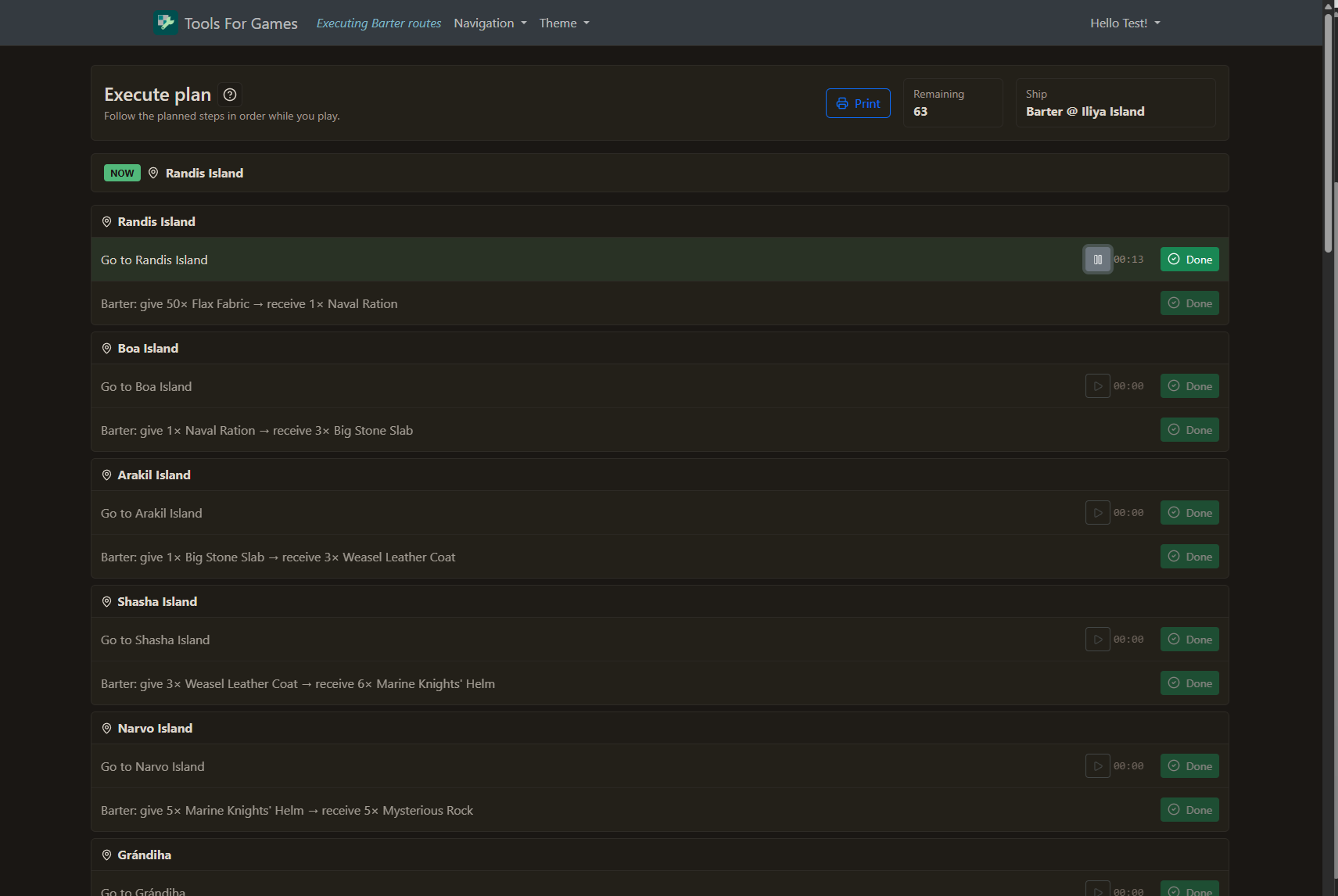
BDO barter execute stopwatch screenshot
Execute stopwatch
BDO barter execute stopwatch screenshot