BDO Barter Tools

Enter a full barter session from screenshots

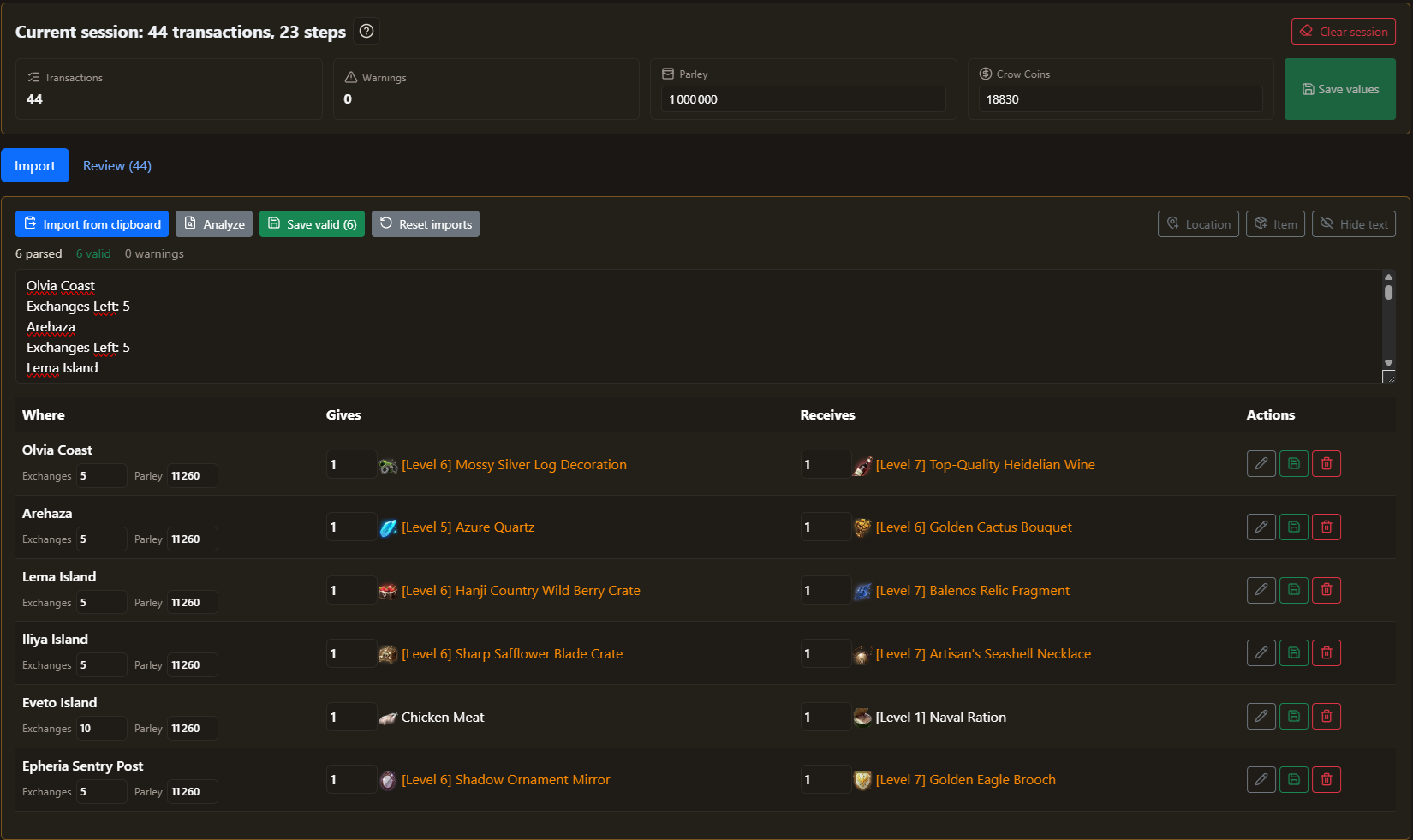
Typing 60+ barters by hand takes 20 minutes or more. Capture the barter window, paste it, and the planner reads every location, item, quantity and Parley value. Check the few fields it flags, save, and your session is ready to plan.

BDO barter screenshot scan showing the rows read from a pasted capture of the barter window
Screenshot scan
BDO barter screenshot scan showing the rows read from a pasted capture of the barter window

Screenshot scan

Detach the barter window, capture it with Alt+PrtScn and paste. List that scrolls? Paste one capture per screen: rows add up and duplicates are skipped. Doubtful fields are outlined for you to check. No software to install, no upload.

Your game language

Play in English, French, Spanish or German: the scan reads the names of your game client, and the site shows them the same way.

CSV import & export

Already keep your barters in a spreadsheet? Import them with your own columns, with a preview before anything is saved, or export the session as a backup.

A clean session before you plan

The planners build their routes from this session, so it pays to have it right. Warnings point out what looks wrong, and a manual form covers the barter the scan missed or a late correction.

  • Warnings: duplicate locations and used-up barters, one click to show them in the list.
  • Parley tracking: every barter keeps its Parley cost, and the planner never spends Parley you don't have.
  • New items or islands: create them yourself, no need to wait for an update.
  • Help on the page: an introduction and detailed tooltips for first use, easy to turn off.

Tools For Games helps you prepare a plan to follow yourself. It does not automate BDO gameplay or control the game client.

BDO barter demo video